Digester
Your saved posts as a private, searchable knowledge library.
Read what you saved – for once
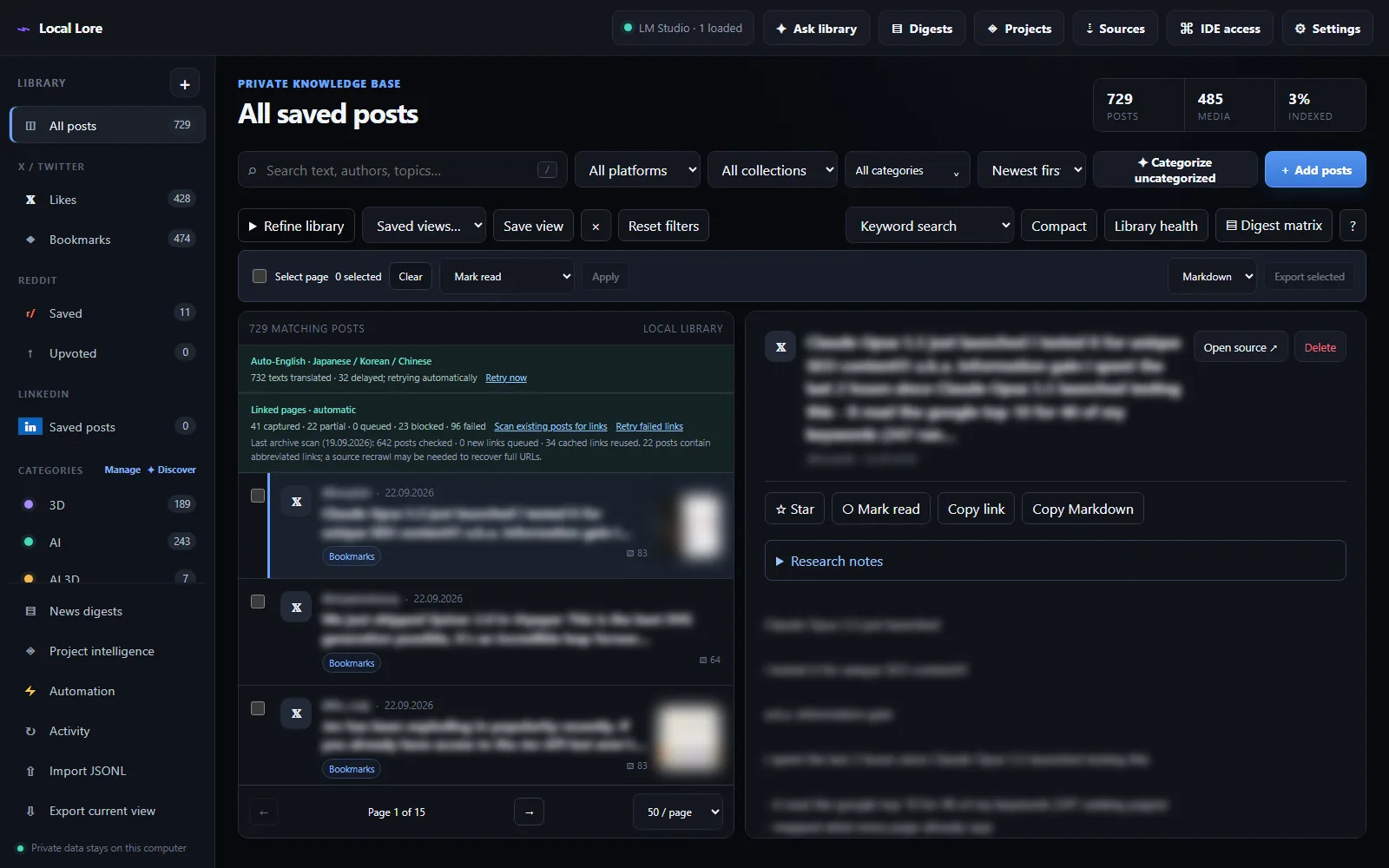
You save hundreds of posts and never read them again. Digester collects your X likes and bookmarks, Reddit saved and upvoted posts and LinkedIn saved posts into a local database and turns that pile into something you can actually work with: full-text and semantic search, categories, long-form briefings per topic and time window, and a read-only MCP server for your IDE assistant.
It is deliberately local-first: the service only listens on 127.0.0.1, the library is a single SQLite file, media is stored on your disk and every AI feature runs on your own LM Studio models. No developer API keys, no cloud accounts, no telemetry.
Features
- Local-first by design Bound to 127.0.0.1, one SQLite file, media on your own disk
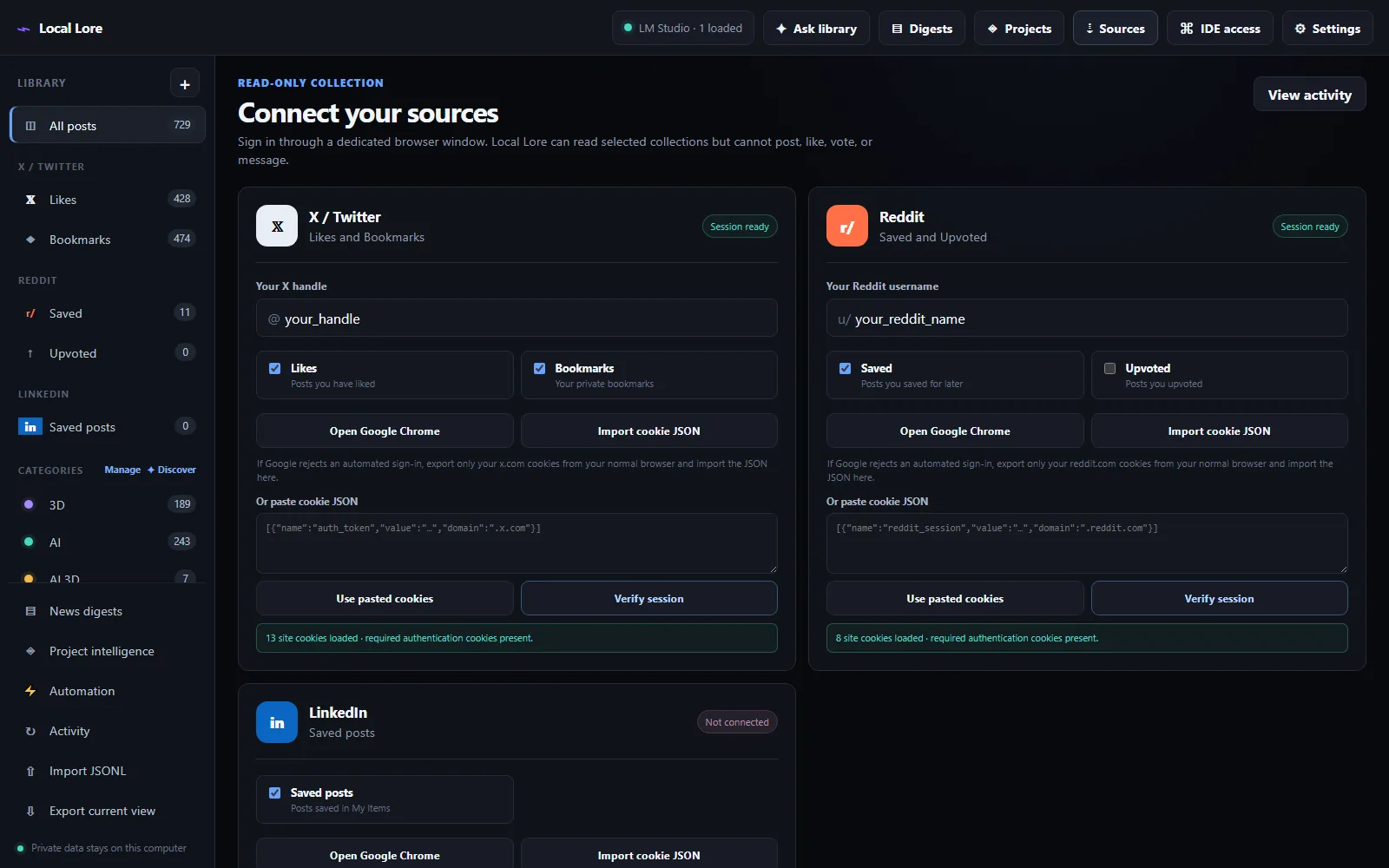
- No developer API keys Collects through a dedicated logged-in browser profile; your password is never stored
- Instant keyword search Full-text search over the whole archive, even without a model loaded
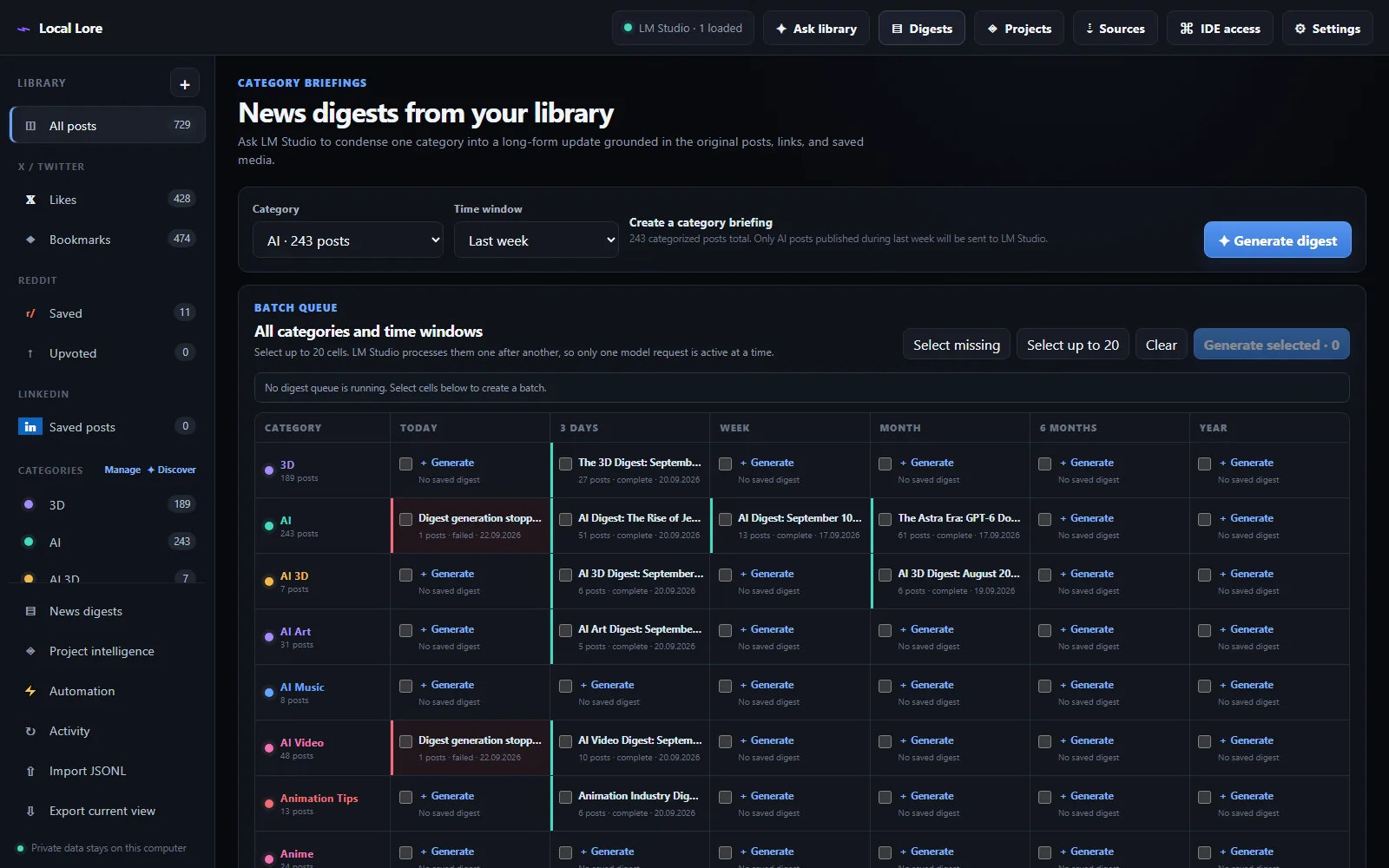
- Category digests Briefings for today, 3 days, a week … a year – with sources, links and media
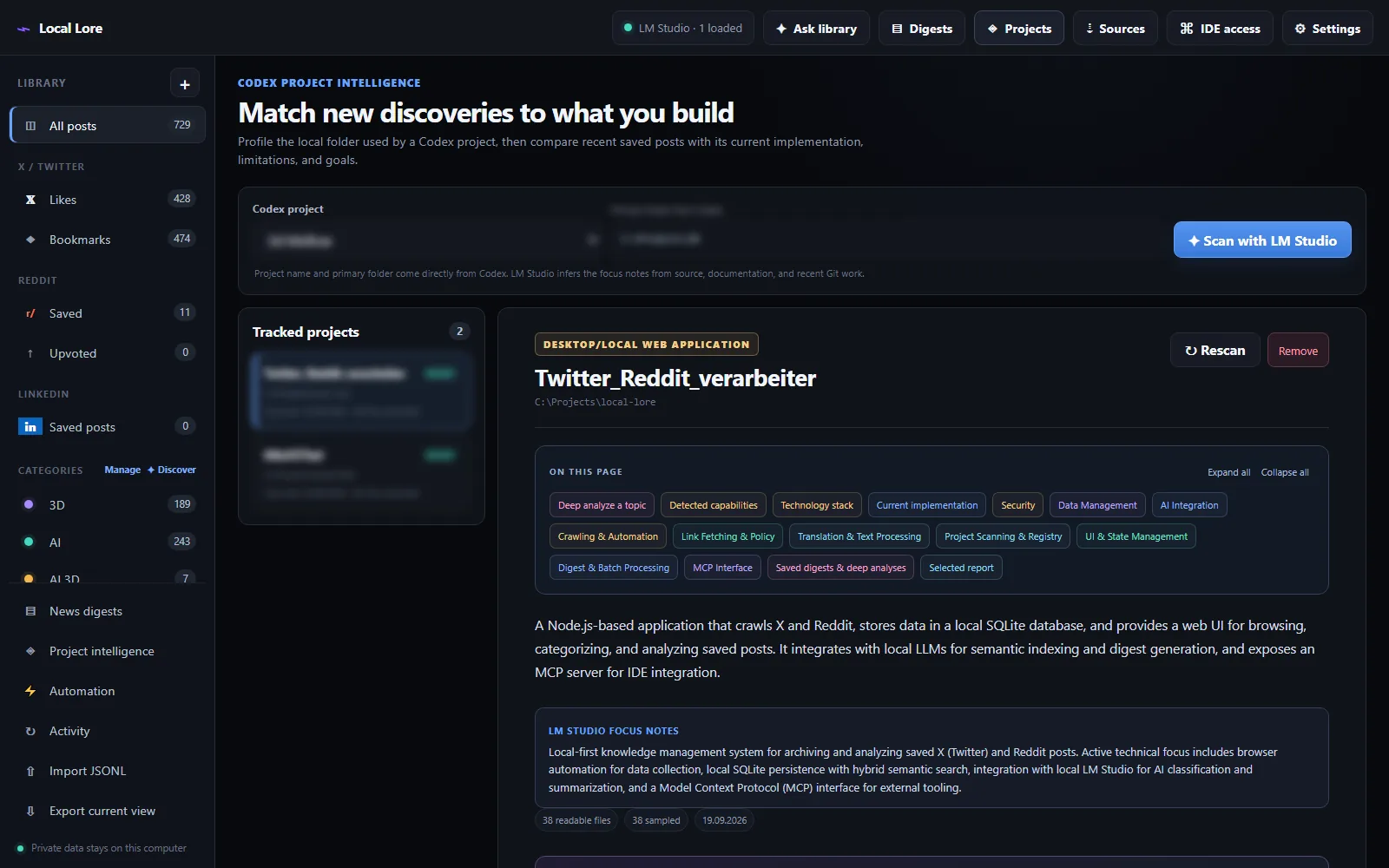
- Project intelligence Compares saved posts with your local code projects – with evidence from your files
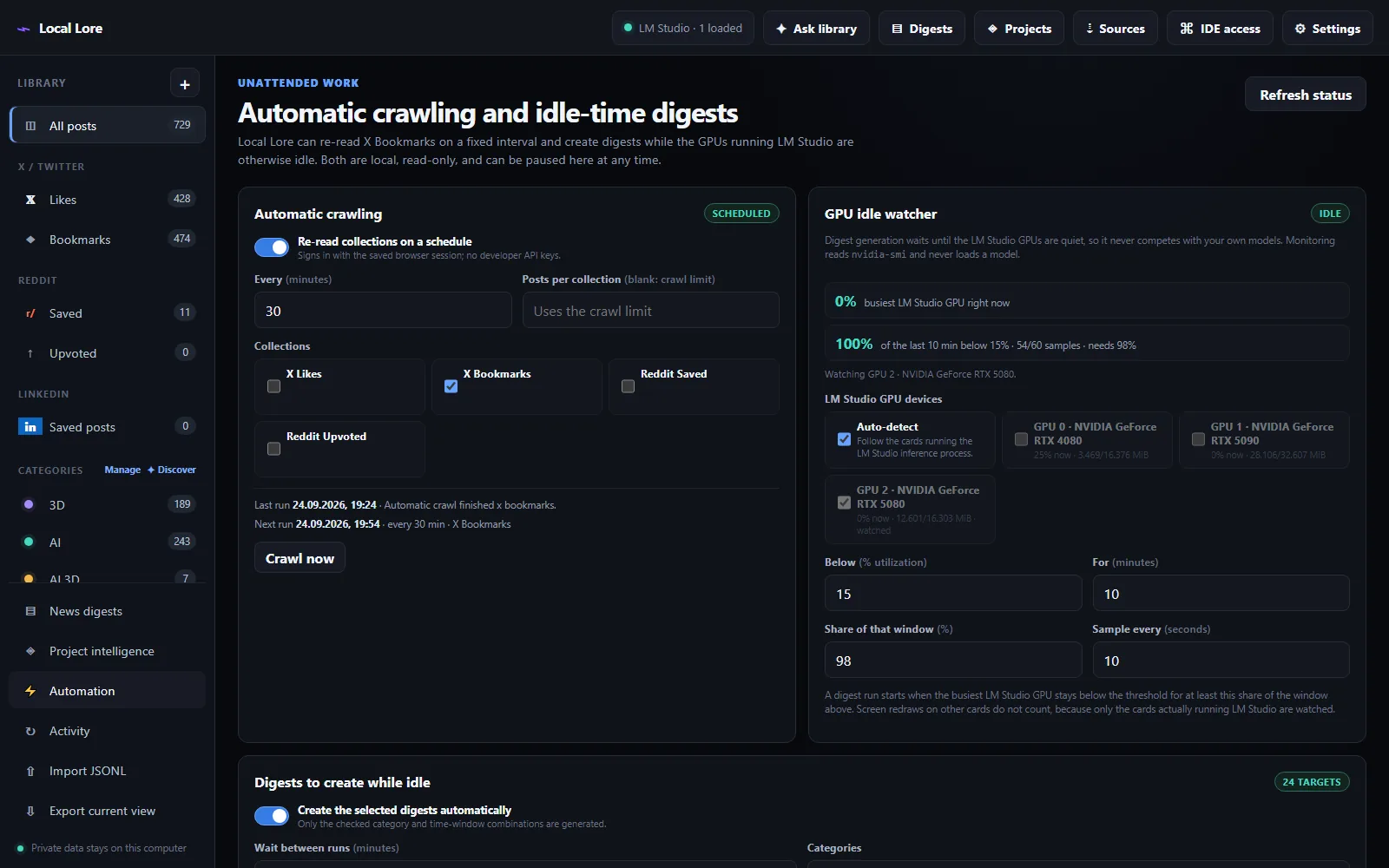
- GPU-aware automation Runs digests only while the GPUs LM Studio uses are really idle
The part that changes how you read
A saved post is only worth something if it changes what you build. Point Digester at one of your local projects: it first profiles what that codebase actually does, then checks your recent posts against it and keeps only what is genuinely relevant – a security fix in a library you depend on, a technique that would replace something you hand-rolled, a tool that fits your stack.
Every finding has to be backed by both a saved post and evidence in your own files, and the report cites the project paths it is talking about – with pros, cons, unknowns and a prioritised list of next steps.
Screenshots
Getting started
Node.js 20 or newer is required. On a machine with the dependencies installed, double-click start-local-lore.bat or run npm start. The launcher starts the local service in the background, waits until port 4317 is ready and only then opens 127.0.0.1:4317.
- Open Sources, enter your X handle and Reddit username, and select the collections you want.
- Choose Open Google Chrome per platform and sign in, or import cookie JSON. Then Verify session.
- Choose Start crawl – or Run unattended workflow to crawl, categorize and generate the first digests in one go.
- Open Settings and point Digester at LM Studio (default
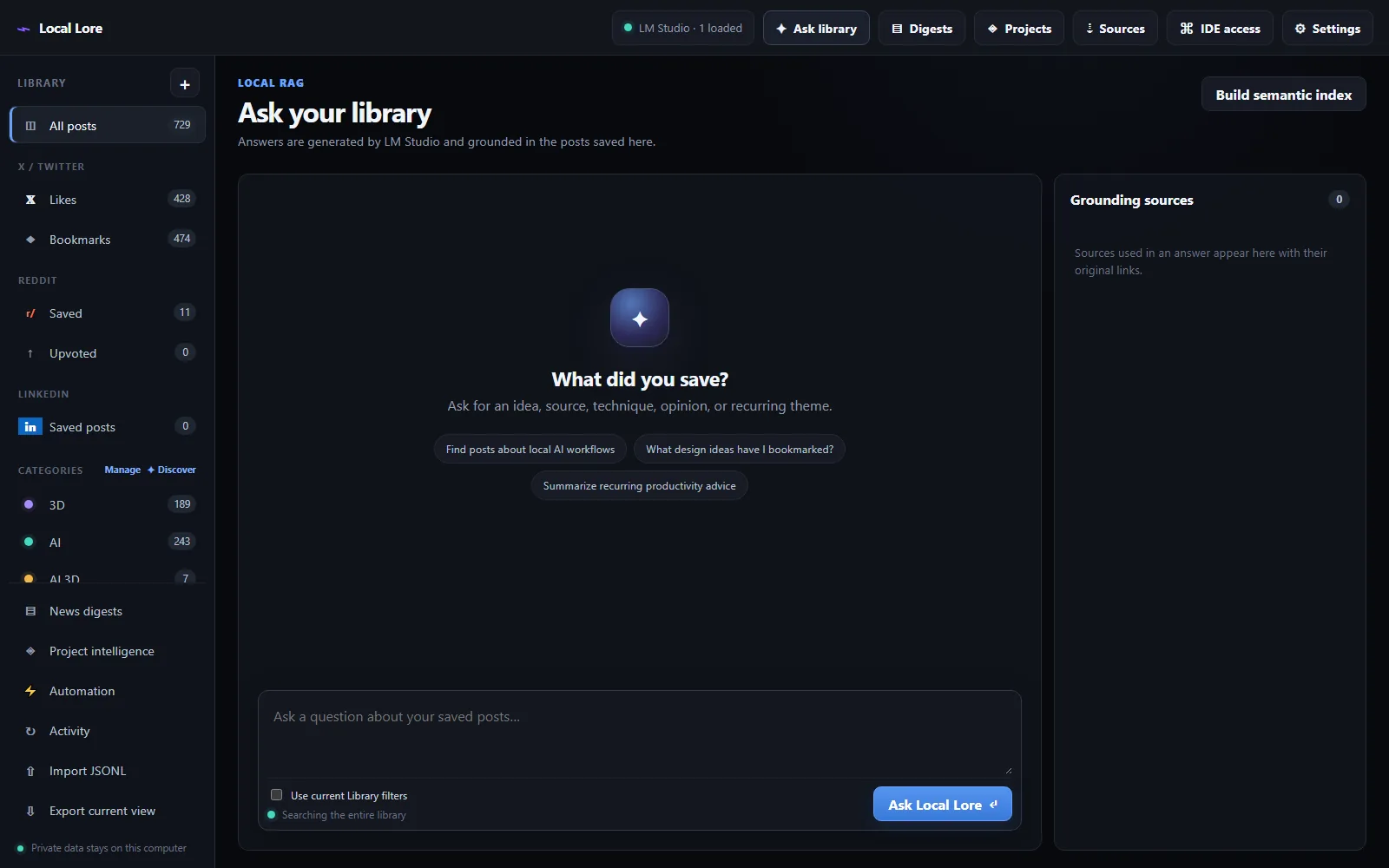
127.0.0.1:1234/v1). Load a chat model and, optionally, an embedding model. - Choose Build semantic index in the Ask view. Keyword search already works without it.
- In Library, select Categorize uncategorized, then use Discover to find the themes you did not think of.
- Open Digests and generate your first briefings from the matrix.
- Open Projects, pick a local project and generate an impact digest.
Recommended local models
Digester has three model slots – chat, category and embedding – because the jobs differ a lot. The sweet spot is a mid-size chat model plus a small vision model for categories. These setups were benchmarked against the app; VRAM figures assume Q4 quantization.
| Setup | Chat model | Category model | VRAM | Trade-off |
|---|---|---|---|---|
| Recommended – vision & speed | Qwen3.5-9B (~5 GB) | Qwen2.5-VL-7B-Instruct (~4 GB, images) | ~9 GB | 3–4× faster than a 35B, image-aware categorization, quality still excellent for this workload. |
| Highest quality | Qwen3.8-27B (~14 GB) | Gemma-4-12B (~6 GB) | ~20 GB | Better digests on dense technical content, but no image support in categorization. |
| Budget – smallest workable | Qwen3-8B (~4 GB) | Qwen2.5-VL-7B-Instruct (~4 GB) | ~7 GB | Keeps image support under 8 GB. Digest quality drops noticeably on long or technical windows. |
For the optional embedding slot use a dedicated embedding model, never a chat model: nomic-embed-text-v1.5 (~4 GB), or BAAI/bge-small-en-v1.5 (~2 GB) if VRAM is tight. Without one, search simply stays keyword-only.
AI & IDE access via MCP
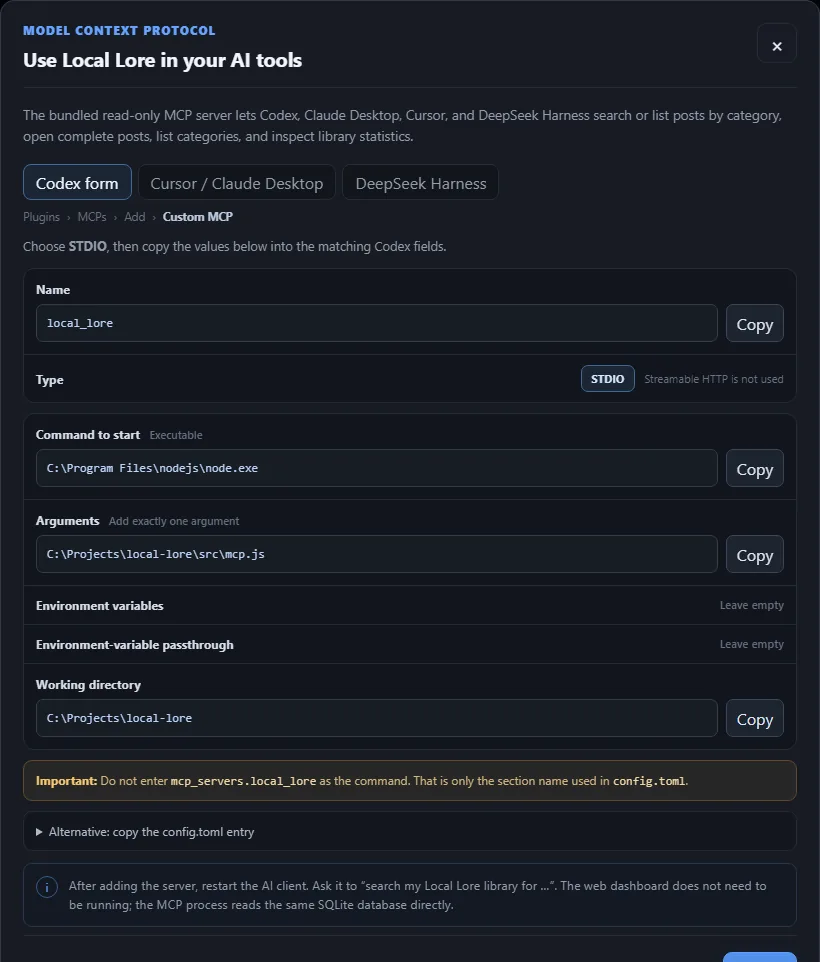
A bundled, read-only MCP server makes the library available to Codex, Cursor, Claude Desktop and DeepSeek Harness. The dashboard does not have to be running – the MCP process opens the same SQLite database directly. IDE access in the dashboard shows the configuration with the exact paths for your machine.
| Tool | Returns |
|---|---|
search_social_library | Retrieval over the archive, with the optional library filters. |
get_social_post | One post including linked pages. |
list_recent_social_posts | The newest posts in the library. |
list_social_categories | Every category with its description. |
social_library_stats | Counts and coverage for the archive. |
list_category_digests | Saved briefings per category and window. |
get_category_digest | One full briefing with its citations. |
list_project_profiles | Profiled local projects. |
get_project_profile | One implementation profile with file evidence. |
list_project_impact_digests | Impact and topic reports for a project. |
get_project_impact_digest | One full impact or topic report. |
Safety & practical limits
- The crawler contains no code for posting, liking, voting, following or messaging. It reads, nothing else.
- The server binds to
127.0.0.1only. LM Studio URLs are restricted to localhost or private-network addresses. - Media downloads are restricted to known X, Reddit and LinkedIn media hosts and capped at 25 MB per file.
- Social websites change their HTML now and then. If a crawl suddenly returns zero posts, the selectors may need a small update.
- Use conservative crawl limits and follow the platforms' terms and rate limits.
- Your login session lives in a local browser profile. Treat exported cookies like a password – never share or commit them.